
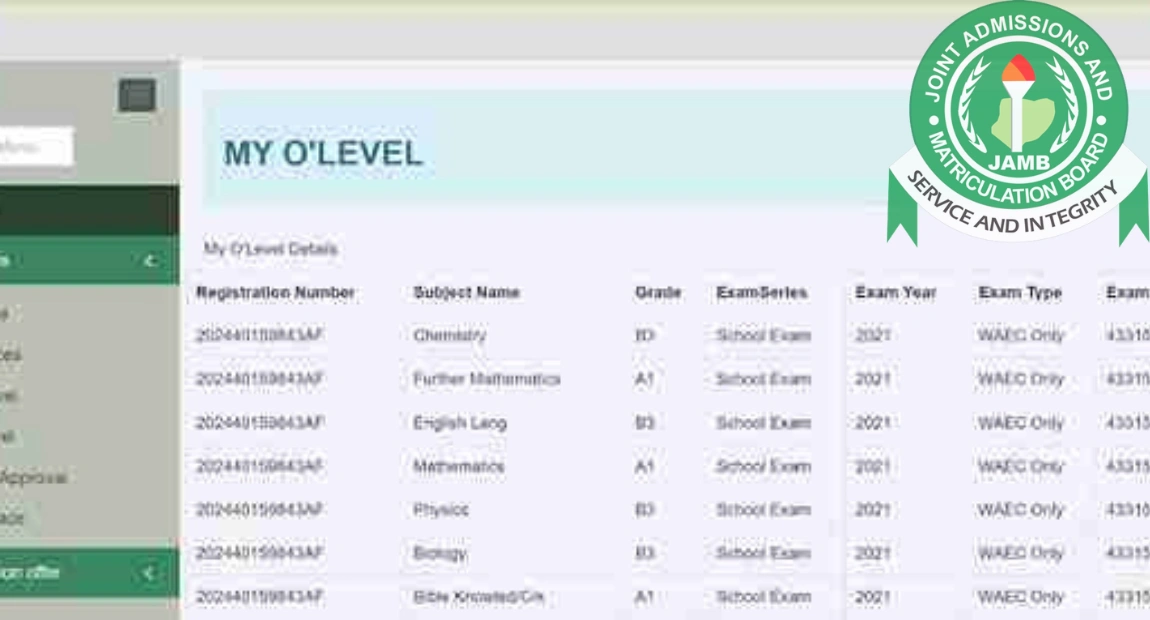
You can now submit your O’Level results to the Joint Admissions and Matriculation Board (JAMB) through the official portal. The upload exercise is currently in progress, and all candidates are advised to complete it as soon as possible.
As part of the admission screening process, JAMB requires every applicant to upload their O’Level results. This ensures that your academic qualifications are properly recorded and visible on the admission platform. Without this step, your admission status may remain incomplete, even if you meet all other requirements.
Uploading your results enables JAMB to confirm the authenticity of your credentials and guarantees transparency in the selection process.
Requirements for O’Level Result Upload 2026
Before proceeding, confirm that you meet the following conditions:
- Registered for the 2026 UTME or Direct Entry
- Possession of a valid O’Level results (WAEC, NECO, or NABTEB)
- Your O’Level result must not be older than five years from the time of your current JAMB registration
- A minimum of 5 credit passes on your O’Level result that satisfy the requirements for your selected course of study
How to Upload O’level Result
1. On the JAMB eFacility Portal
- Go to the official JAMB eFacility portal at https://efacility.jamb.gov.ng/
- Log in using your JAMB registration number or registered email address and password.
- Locate and click on the “Upload Result” option on your dashboard.
- Select the year you sat for the examination.
- Choose your examination body (WAEC, NECO, or NABTEB).
- Enter your O’Level examination number correctly.
- Upload a scanned copy of your original result in JPEG or PNG format (file size should not exceed 50KB).
- Make the required payment (₦500) using your ATM card or any available online payment method.
- Review all the information entered.
- Submit the upload.
Related News: How to Register JAMB 2026/2027 UTME & Direct Entry
2. Upload at an Accredited JAMB CBT Centre
If you prefer assistance or encounter technical issues, you can visit an approved CBT centre.
- Locate a JAMB-accredited CBT centre near you.
- Go along with:
- Your original O’Level result slip
- A printed copy of your JAMB registration slip
- Pay the processing fee (usually about ₦700).
- The centre officials will handle the electronic upload on your behalf.
How to Confirm Successful Upload
After uploading, log back into your JAMB portal and check your profile. Your O’Level details should be visible. If there are any errors or missing information, resolve them immediately.
Failure to upload your O’Level result may prevent your admission from being processed.
Deadline for O’Level Result Upload 2026
At the moment, JAMB has not officially announced a closing date for the O’Level upload exercise. Once a deadline is made public, it will be communicated accordingly.
Candidates are strongly encouraged to complete the upload early to avoid last-minute rush or technical difficulties.
Frequently Asked Questions (FAQs)
Ques: Is uploading O’Level results to JAMB compulsory?
Ans: Yes, it is mandatory. If you fail to upload your O’Level result, JAMB and your chosen institution will not process your admission, even if you passed UTME.
Ques: Can I upload my O’Level result after writing UTME?
Ans: Yes. You can upload your result either before or after writing UTME, as long as it is done before your admission is processed.
Ques: Can I upload two O’Level sittings?
Ans: Yes. If you are using two sittings (for example, combining WAEC and NECO), you can upload both results, provided they meet your course requirements.
Ques: What happens if I don’t upload my O’Level result?
Ans: Your admission status on CAPS may remain “Not Admitted,” even if your school has offered you admission. Uploading is required for confirmation and validation.
Ques: Can I upload my result myself without visiting a CBT centre?
Ans: Yes. You can upload it yourself through the JAMB eFacility portal using your phone or computer, as long as you follow the correct procedure and pay the required fee.
Ques: How much does it cost to upload O’Level results?
Ans: If you upload it online yourself, the fee is usually ₦500. At an accredited CBT centre, the fee may be around ₦700.
Ques: Can I edit or correct my O’Level details after uploading?
Ans: If you discover an error after uploading, you may need to revisit the portal or go to a CBT centre to make corrections.
Ques: How do I confirm that my O’Level result has been successfully uploaded?
Ans: Log in to your JAMB profile on the eFacility portal and check your O’Level section.
Ques: Can I upload awaiting results?
Ans: Yes. Candidates who initially selected “Awaiting Result” can upload their O’Level results once they are released.
Ques: Is there a deadline for uploading O’Level results?
JAMB may not always announce a fixed deadline immediately. However, candidates are advised to upload their results early to avoid missing admission opportunities.